Memberships
What it is
A membership is a recurring subscription a player holds to one of an org's paid plans — the ongoing arrangement that can earn a player a discount on recurring sessions and events, rather than something tied to any single session or event. An org defines its own catalog of membership plans; players subscribe to one and their membership then runs on its own period, independent of any specific session's or event's schedule.
Setting up membership plans
Building the plan catalog — creating, editing, and deleting plans and add-ons — is available to admins on both clients. Each plan has:
- Name and description
- Duration — how long one subscription period runs (for example, monthly)
- Price — what a player pays per period
A plan can also carry two separate discounts, applied automatically to an active subscriber:
- A discount percentage on session prices — applies to recurring sessions
- A discount percentage on event prices — applies to events
And a plan can offer add-ons — extra paid options a player picks when subscribing, such as locker access, each with its own price. An admin can mark an add-on required, meaning every subscriber to that plan must include it (and pay for it) rather than choosing it optionally.
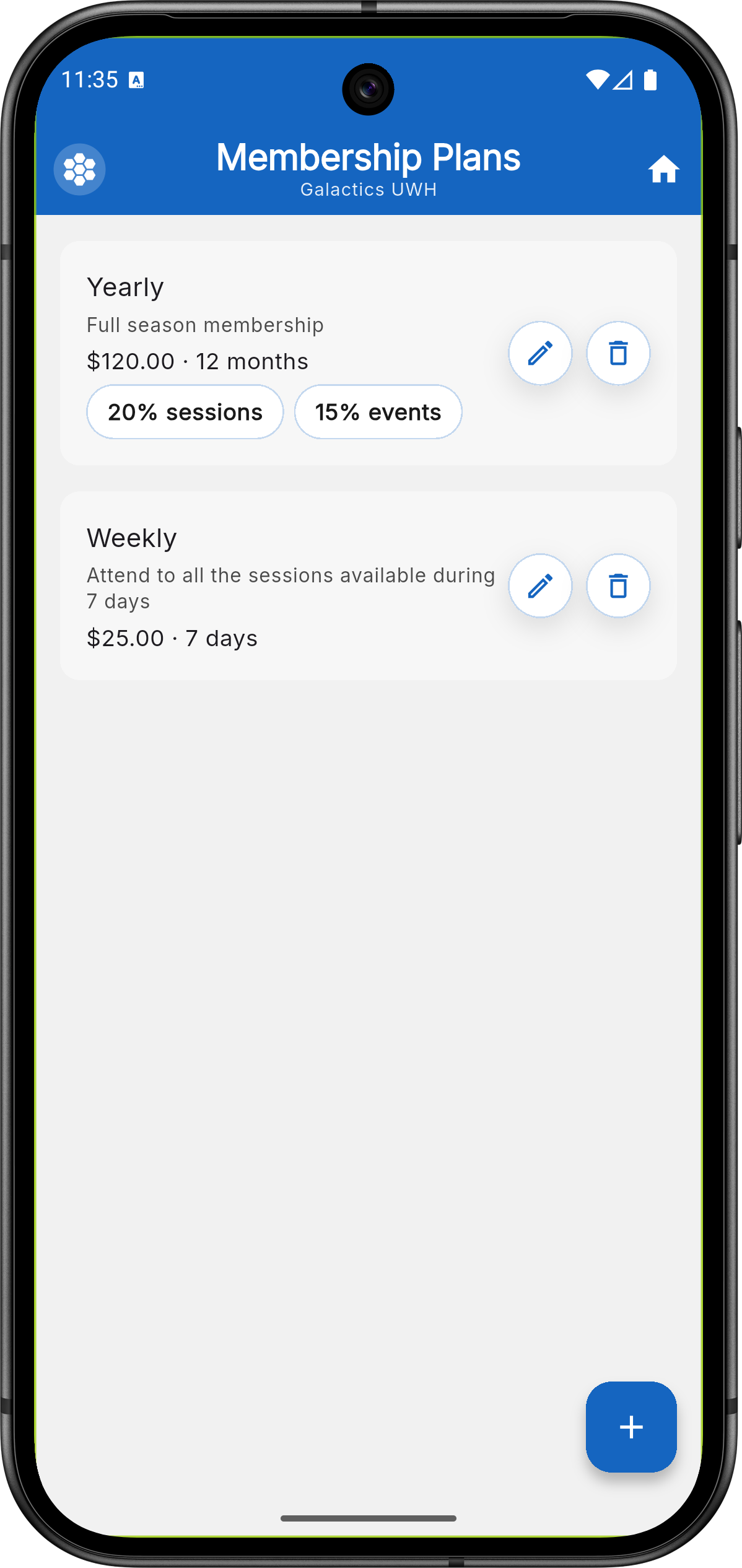
Mobile app — admin's plan catalog, showing each plan's price,
duration, and session/event discounts.
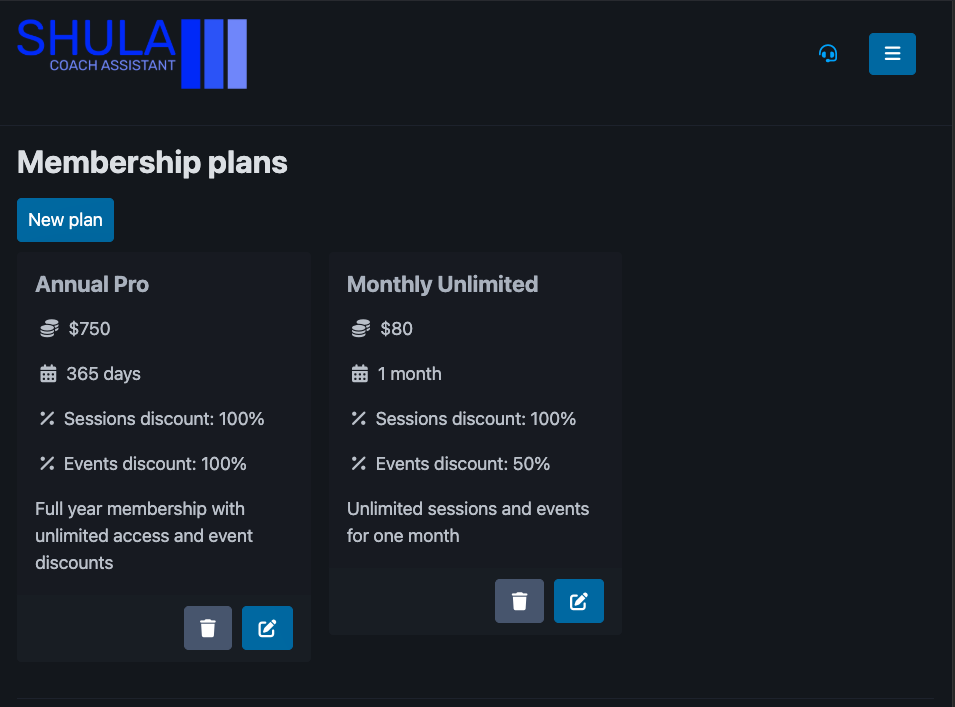
Web app — the same plan catalog, with controls to add, edit, and
delete plans.
Admins can see, for any player, which plan they're subscribed to and their current membership status, edit or cancel a subscription, and subscribe a member to a plan directly from the roster — all available on both clients. On mobile, subscribing a member auto-selects any add-ons the plan marks as required and lets the admin add optional ones before confirming.
Current limitation: turning auto-renew off for an existing subscription doesn't reliably persist on either client — the renewal date can be set, but there's currently no way to explicitly clear it once it's there. If a subscription keeps renewing after you've tried to turn auto-renew off, treat it as a known issue rather than a mistake on your end.
Subscribing and membership status
When a player subscribes to a plan, their membership gets a start date and end date marking the current period — and, if the plan is set to renew automatically, a renewal date for when the next period begins. From those dates, Shula computes a status:
- Waiting — the period starts in the future; the membership hasn't begun yet
- Active — the current date falls inside the covered period
- Expired — the covered period has already passed
- Inactive — there's no current or upcoming period at all
Viewing your own membership is a mobile-only player screen today — see Web vs. mobile. Players see their own plan name, period dates, status, and which add-ons they selected when they subscribed.
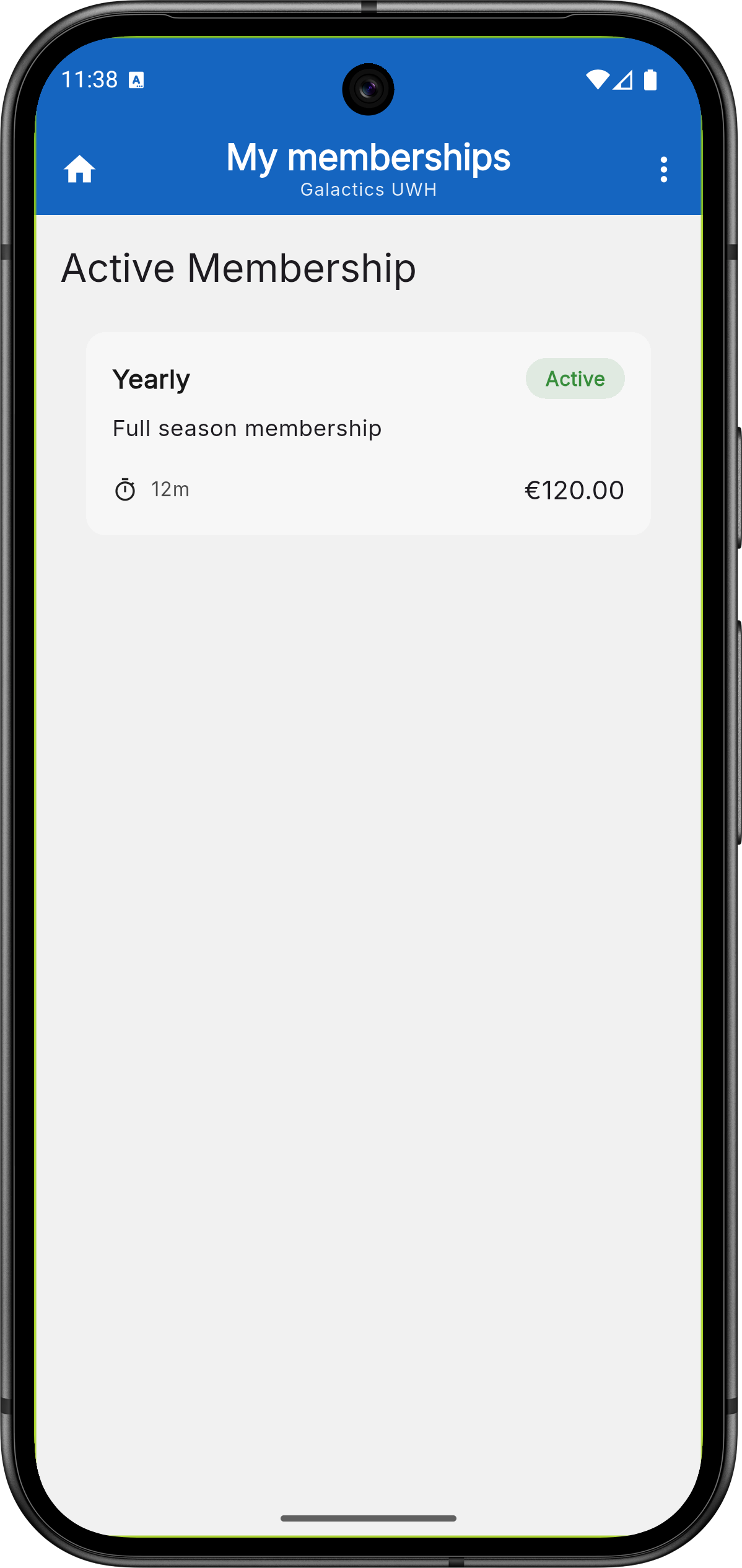
Mobile app — player's view of their own membership, showing plan
name, status, duration, and price.
Related
- Payments — a plan's price and any add-on prices are charged to a player's balance the same way sessions and events are.
- Recurring Sessions — where a plan's session discount percentage applies.
- Events — where a plan's event discount percentage applies.