Payments
What it is
Shula doesn't use a per-purchase checkout flow. Instead, every player has an account balance — a running credit rather than something paid per-item, in the moment. Four kinds of transaction affect that balance: top-ups (money added), and charges for sessions, events, or memberships (money deducted).
Every transaction carries a status:
- Pending — the transaction has been created but hasn't settled yet
- Completed — the transaction has settled and the balance reflects it
- Debt — the charge went through even though it pushed the player's balance negative; debt is still allowed, not blocked
How charges happen
When a player registers for a paid recurring session or event, or subscribes to a paid membership plan, the charge is deducted from their balance automatically — there's no separate checkout step for the player to complete. If a membership plan carries a discount, that discount is applied before the charge is made. If the balance doesn't cover the full price, the charge still goes through and the transaction is recorded as debt.
Adding funds
Today, admins add funds to a player's balance themselves, through a create top-up action: entering an amount and an optional description. This is how cash payments or external transfers (bank transfer, in-person, etc.) get reflected in the app. This is available on both clients:
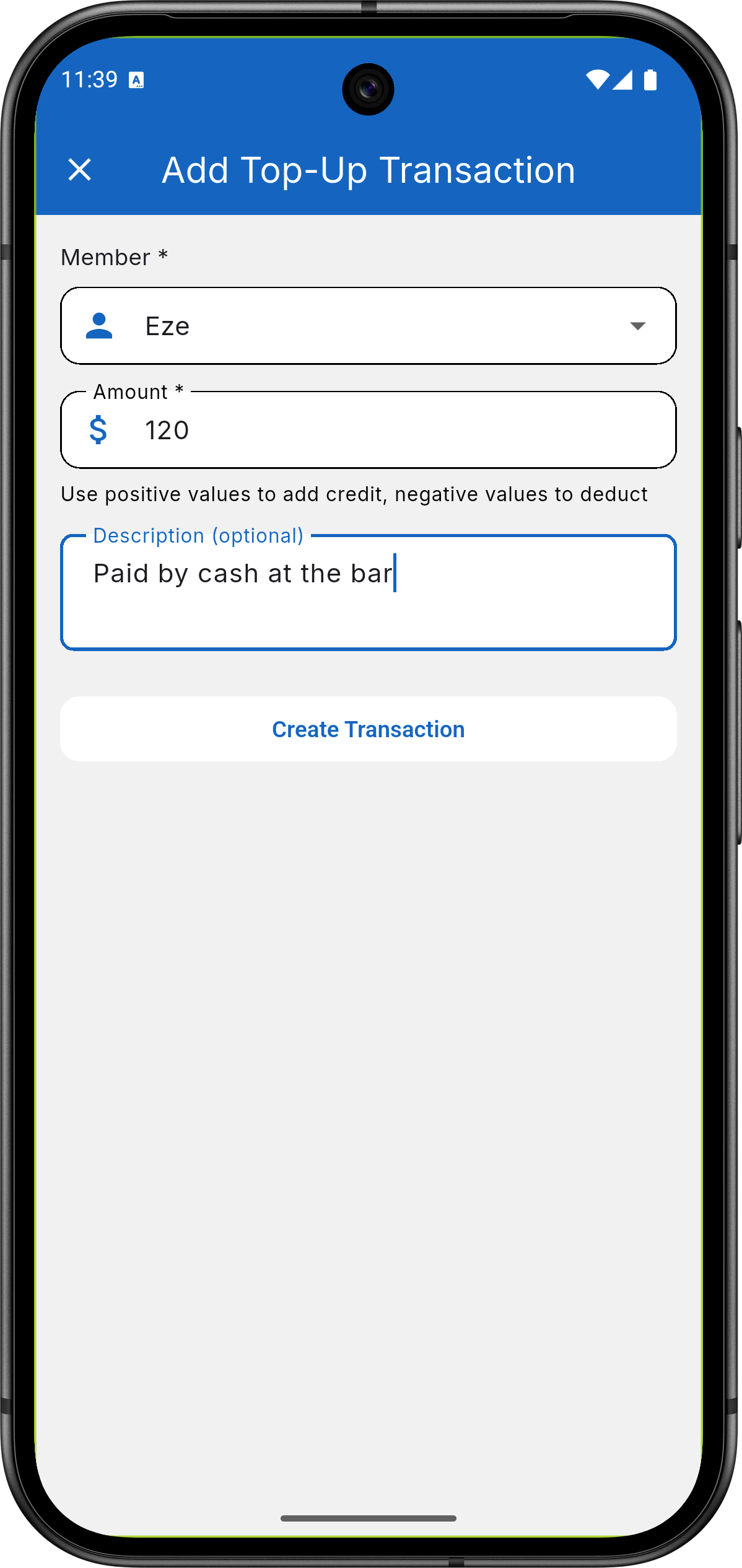
Mobile app — admin creating a top-up for a player, with member,
amount, and description fields.
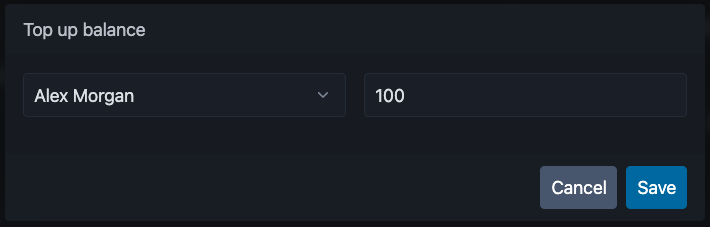
Web app — the same top-up form, opened from the "Add balance"
button on the Payments page.
Current limitation: there is no self-serve, in-app way for a player to pay online yet — payments are recorded by an admin on the player's behalf, not initiated by the player. (Stripe is wired in on the backend for automated, webhook-based top-ups, but that checkout isn't exposed to players in the app yet.) The mobile app's own Profile screen also has an unfinished Balance line that always shows a dash rather than the real number — for an accurate balance, use the dedicated transaction history screen described below, not the Profile screen.
Viewing transaction history (admin)
Admins have a payments screen listing every transaction for the org, filterable by player, type (top-up/session/event/membership), status, and date range. Available on both clients:
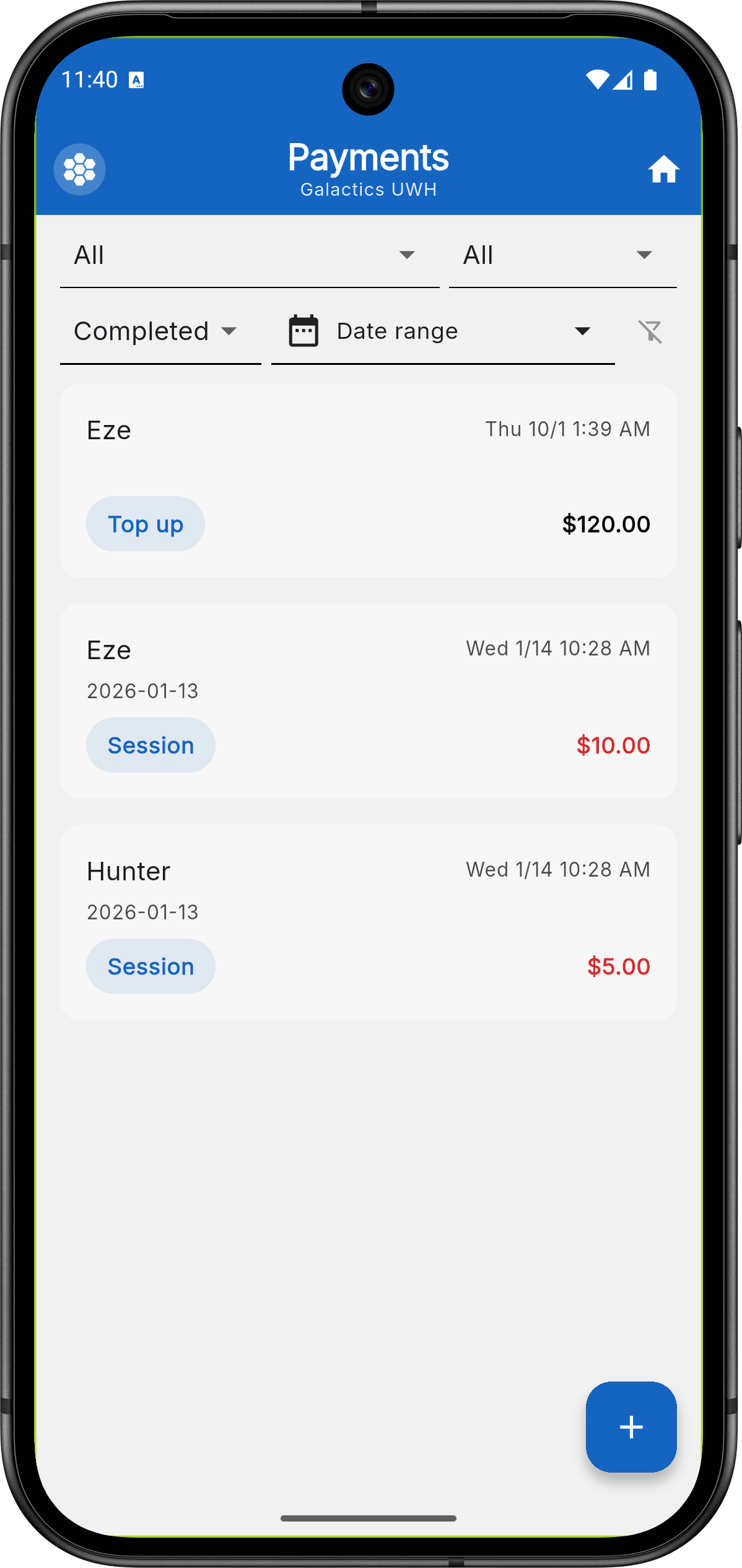
Mobile app — admin's transaction list, showing the type/status/user
filters.
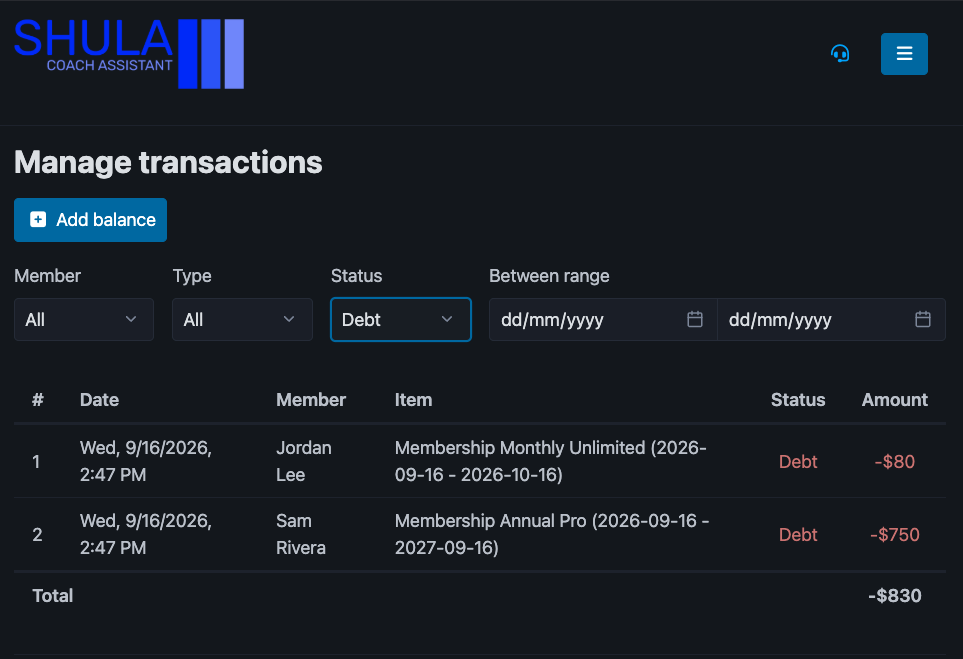
Web app — the same transaction list, with an "Add balance" button
and a running total for the filtered results.
Viewing your balance (player)
Checking your own balance and transaction history is a mobile-only player screen today — see Web vs. mobile. Players see a running list of their own transactions — top-ups received and charges made against their balance — each with its date, type, amount, and status.
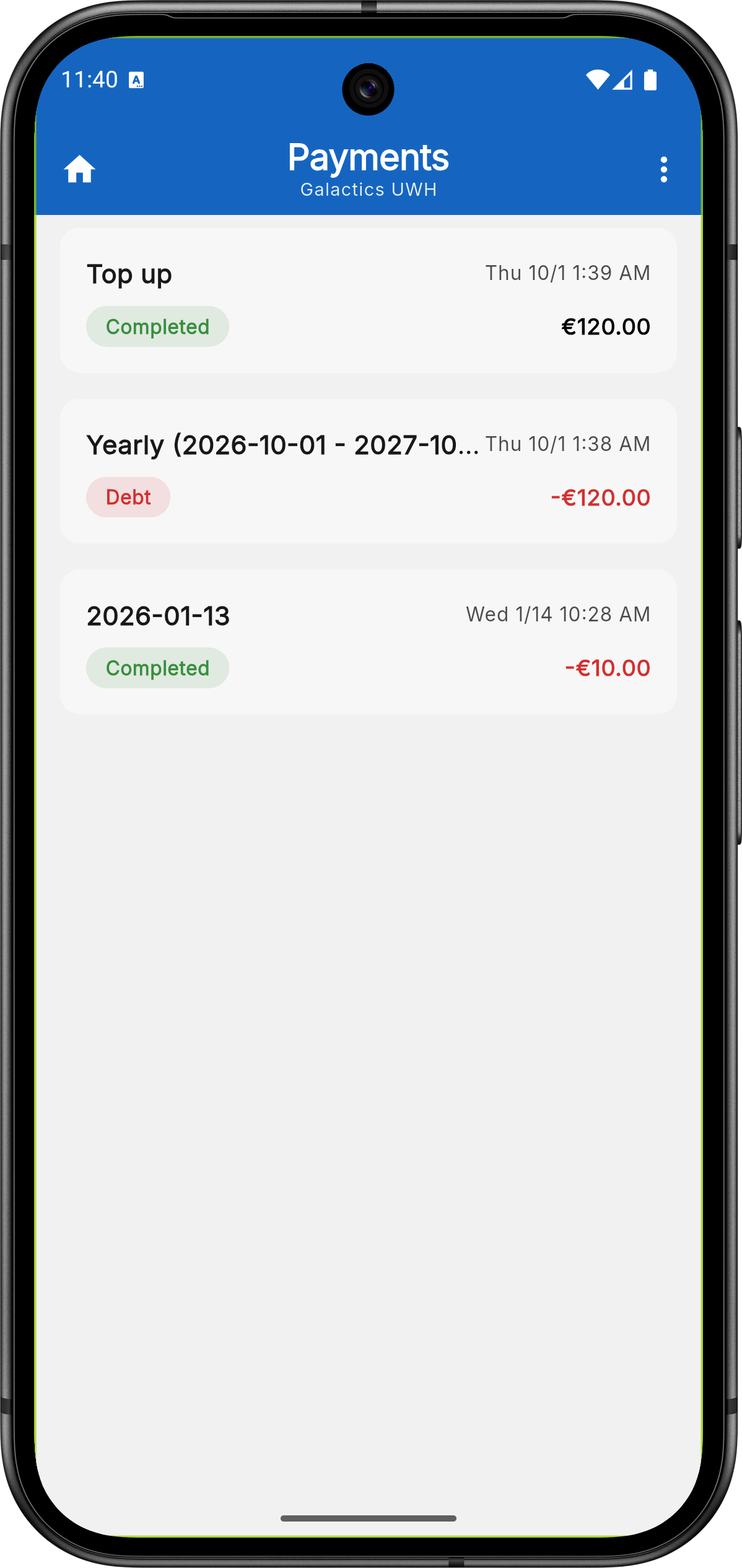
Mobile app — player's own transaction history, with each entry's
date, status, and amount.
Related
- Memberships — subscribing to a plan (and its add-ons) charges a player's balance the same way sessions and events do.
- Recurring Sessions — how a session's price gets charged to a player's balance.
- Events — how an event's price gets charged to a player's balance.